
A sales CRM with email sequences built in — not bolted on.
The only CRM update your reps will have to make: none.
Contacts, companies, unlimited pipelines and deal timelines that fill themselves from your outreach.
Free plan, no card · 7-day trial on paid plans

The parts of a CRM a small team actually uses.
Contacts & companies
Self-updating timelines: every email, reply, call, note, task and meeting in order. De-duplication on email and domain.
Unlimited pipelines
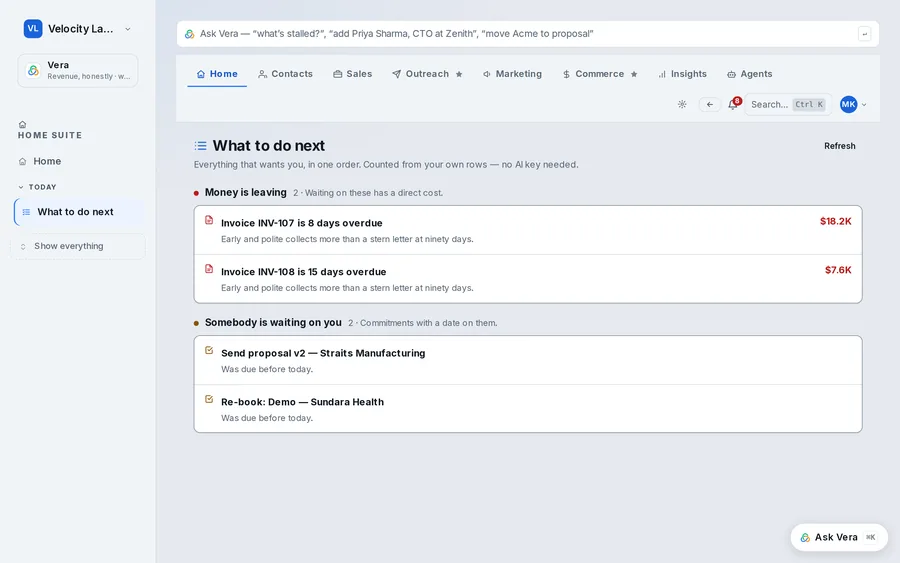
Stages you define, deal health from your own conversion history, rotting alerts, and a Needs Attention view for the deals that stalled.
Reply-driven records
An interested reply opens a deal. A question creates a task. A booked meeting attaches to the deal. Nobody types.
Sequences from the record
Enrol a contact in a sequence from their page, or from a list. The sequence stops on reply and the reply is on the timeline.
Quotes & invoices
On Business and above: quotes, price books, approval rules and invoicing — so attribution can reach the paid invoice.
Reports & forecasts
Pipeline coverage, stage conversion, cycle length, revenue per rep, and forecasts built from real history. No dashboard builder required.
Every contact on the account, one view of the deal.
Deals link to contacts through an explicit join, not a fuzzy company-name match. You can see who on the account has replied, who has gone quiet and who has never been touched — and enrol the missing ones without leaving the deal.
- Account view with all contacts, roles and last touch
- Single-threaded-deal warnings before the champion goes dark
- Tasks and meetings shared across the team with owner and due date
Replacing a CRM?
Questions, answered
Is the CRM free?
Yes. The Free plan includes contacts, companies, a pipeline and one mailbox for one user, forever. Paid plans add users, mailboxes, full sequences and the deliverability centre.
Can I import from HubSpot, Pipedrive or a spreadsheet?
CSV import maps fields and de-duplicates on email and domain. Google Sheets sync and the API cover ongoing imports. Migration assistance is available as a one-off professional service.
How does the CRM 'fill itself'?
Because outreach and CRM share one database. A reply creates a timeline entry; an interested reply creates a deal; a request creates a task; a meeting link click books the meeting on the deal. Vera can also turn a sentence into records — after you approve the plan.
Does it support multiple pipelines?
Unlimited pipelines on every paid plan, each with its own stages. Deal health scores use your own stage-conversion history, not a generic model.
Is there a mobile app?
The web app is responsive and works on a phone. Native apps are not a current priority; the roadmap is the guardrail, attribution and the assistant.
What is the easiest CRM for a small sales team?
One that updates itself. Quotarider fills contact timelines from your mailbox, creates deals from interested replies and flags stalled deals, so the team works the CRM rather than feeding it.
Is there a free CRM with email built in?
Yes — Quotarider's free plan includes the CRM, one user and one mailbox, with no card.
Can I manage multiple pipelines?
Yes, unlimited pipelines on every plan — new business, renewals, partners — each with its own stages.
Does the CRM include quotes and invoices?
Quotes are included; invoicing, operations and commissions are on higher plans, shown in the app.
How do I migrate from HubSpot, Pipedrive or a spreadsheet?
Export to CSV and import with field mapping and de-duplication on email and domain; migration help is available as a one-off service.
Can the whole team share one CRM?
Yes — add teammates with roles; pipelines, contacts and the reply centre are shared, and each rep sees their own tasks.
Explore by what you are looking for
Start with the free CRM. Add outreach when you're ready.
One user, one mailbox, 100 contacts — free, no card.